Exploratory Search Caption – Empowering User Through Adaptive Keyword
A dynamic support tool that reduces user uncertainty and enhances exploratory search efficiency in academic literature discovery

Overview
Problem Statement
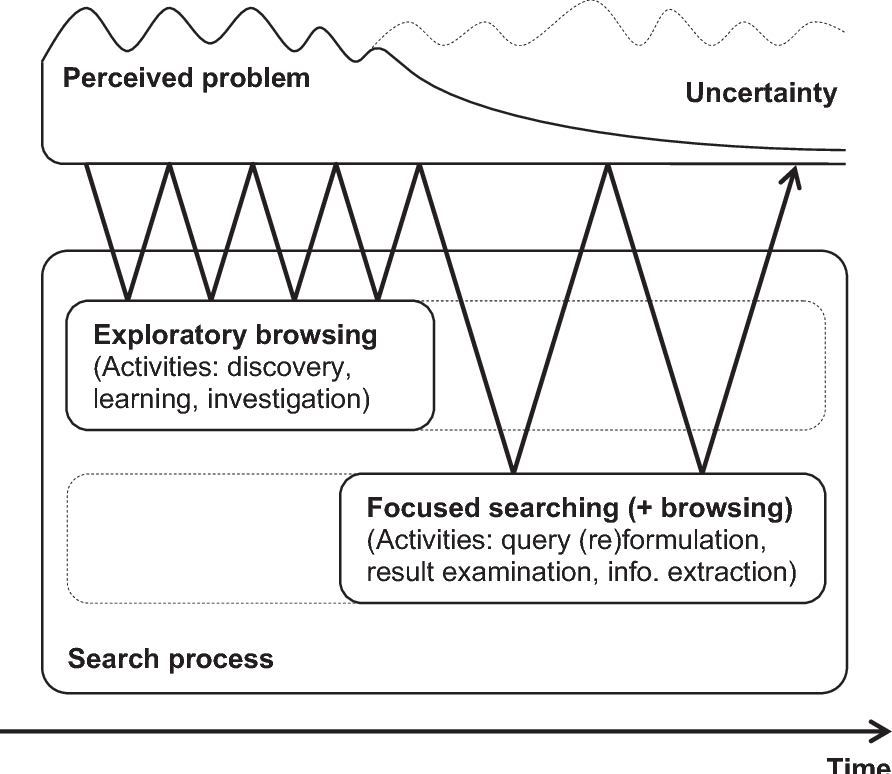
Exploratory search is characterised by user uncertainty with respect to search domain and information seeking goals. This uncertainty can negatively impact users' abilities to assess the quality of search results, causing them to scroll through more documents than necessary.
We proposed a simple aid called Exploratory Search Captions(ESC) that provides users with succinct, keyword-based descriptions of search results. Thus,
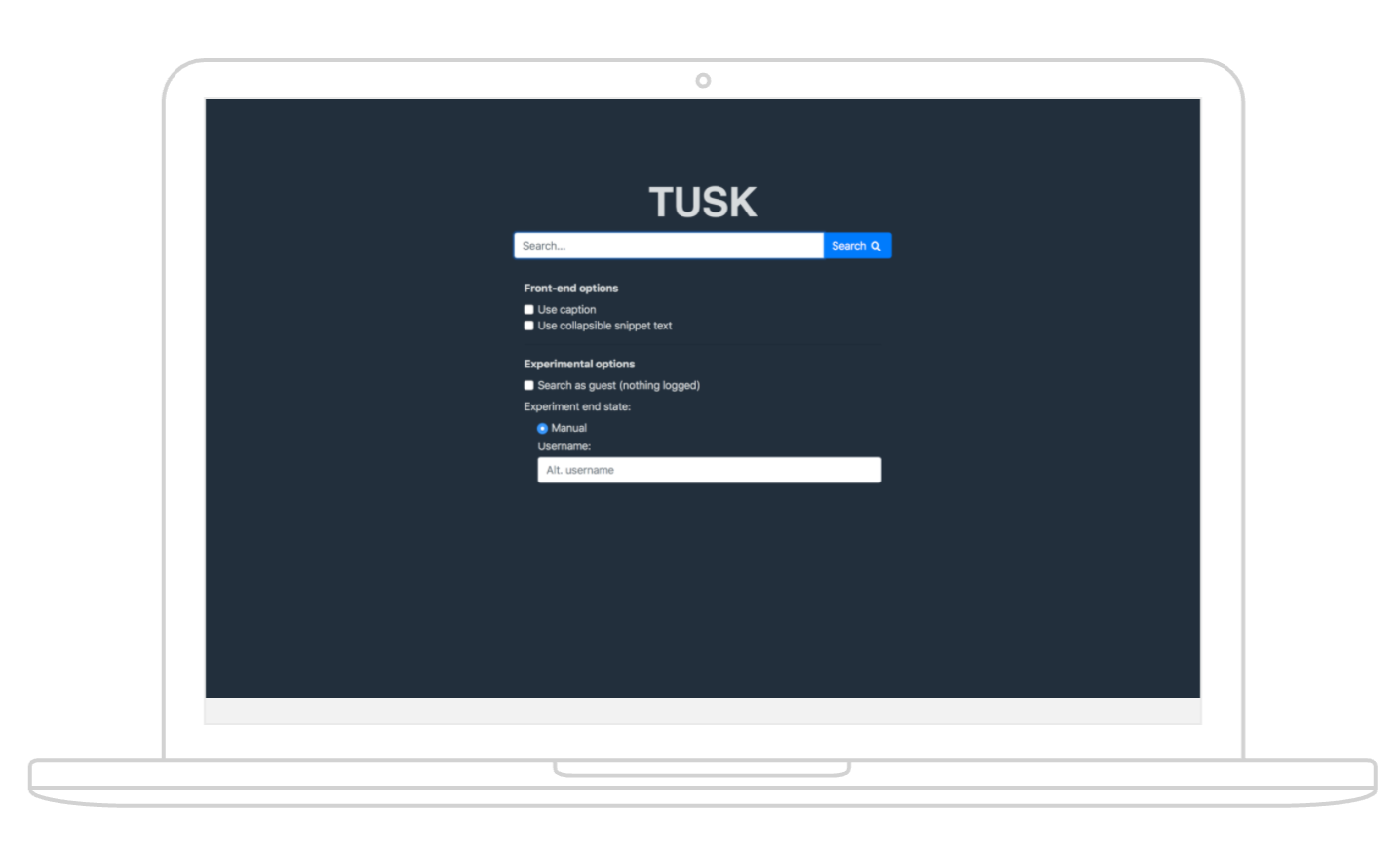
- How to integrate this method into the existing search engine effectively?
- How to efficiently communicate the ESC function to users?
Research
Project Goal
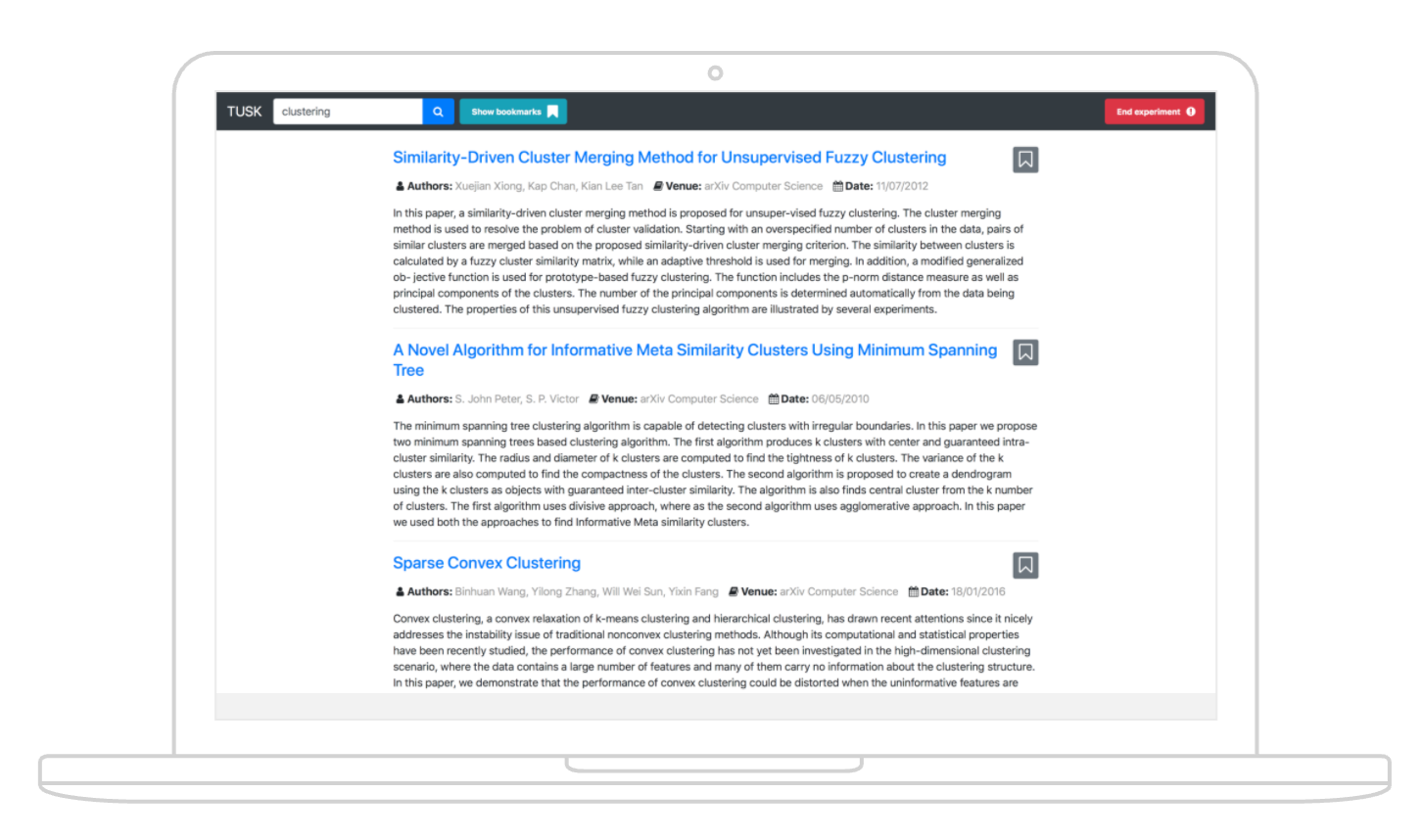
The custom-made literature search engine, TUSK, wanted to increase the support for users by integrating the ESC method without affecting retention.
Core User Needs:
- Fast knowledge acquisition
- Less uncertainty of the topic
- Guidance of building a knowledge system of their own
- Decision aid
- Threads of follow up search
Methods: Value proposition map, Wireframe, Sketch, A/B testing, questionnaires (SUS and ResQue), usability testing, qualitative analysis, and quantitative analysis. The web prototype was developed using Angular and Bootstrap.
Design
Initial Design
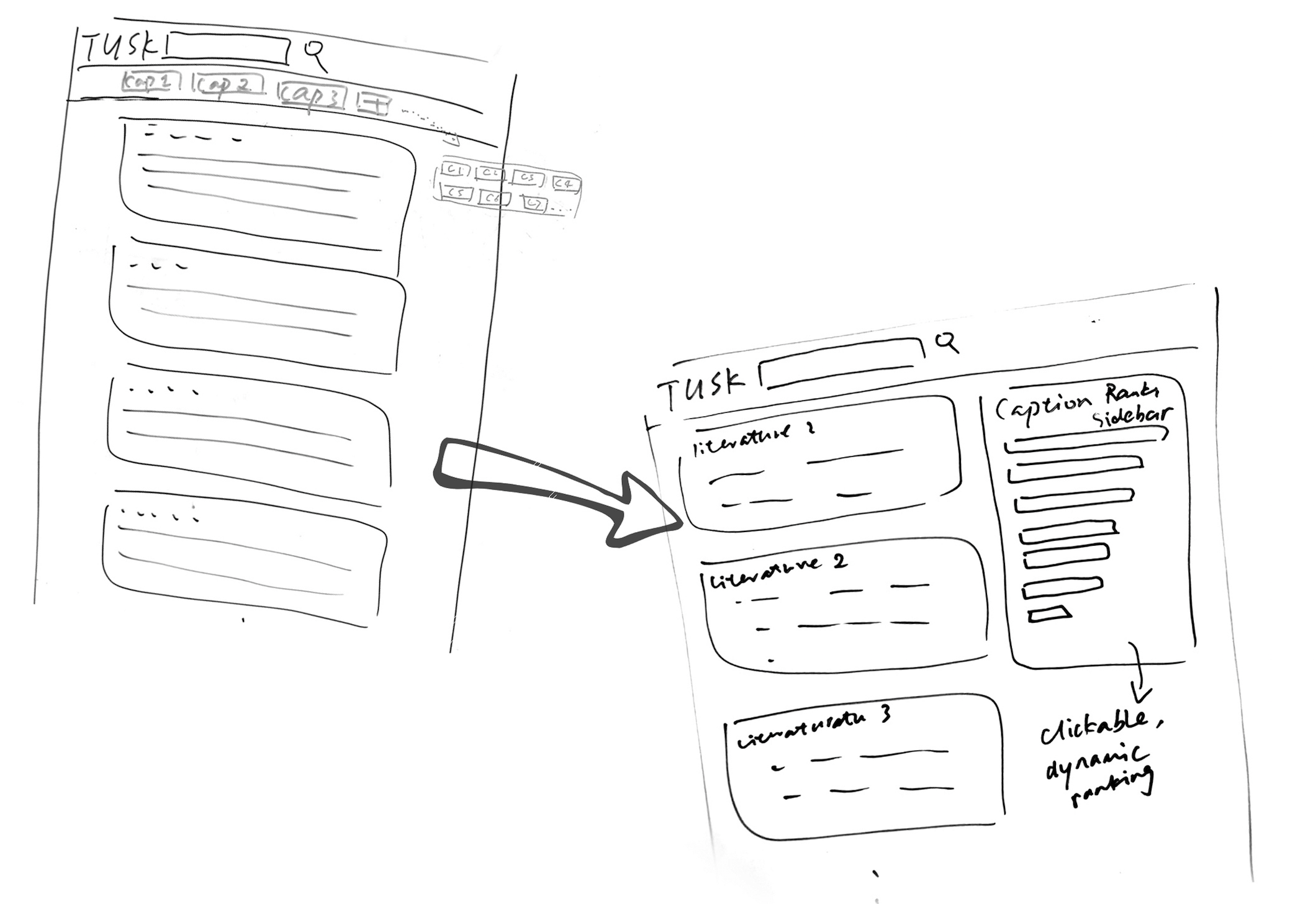
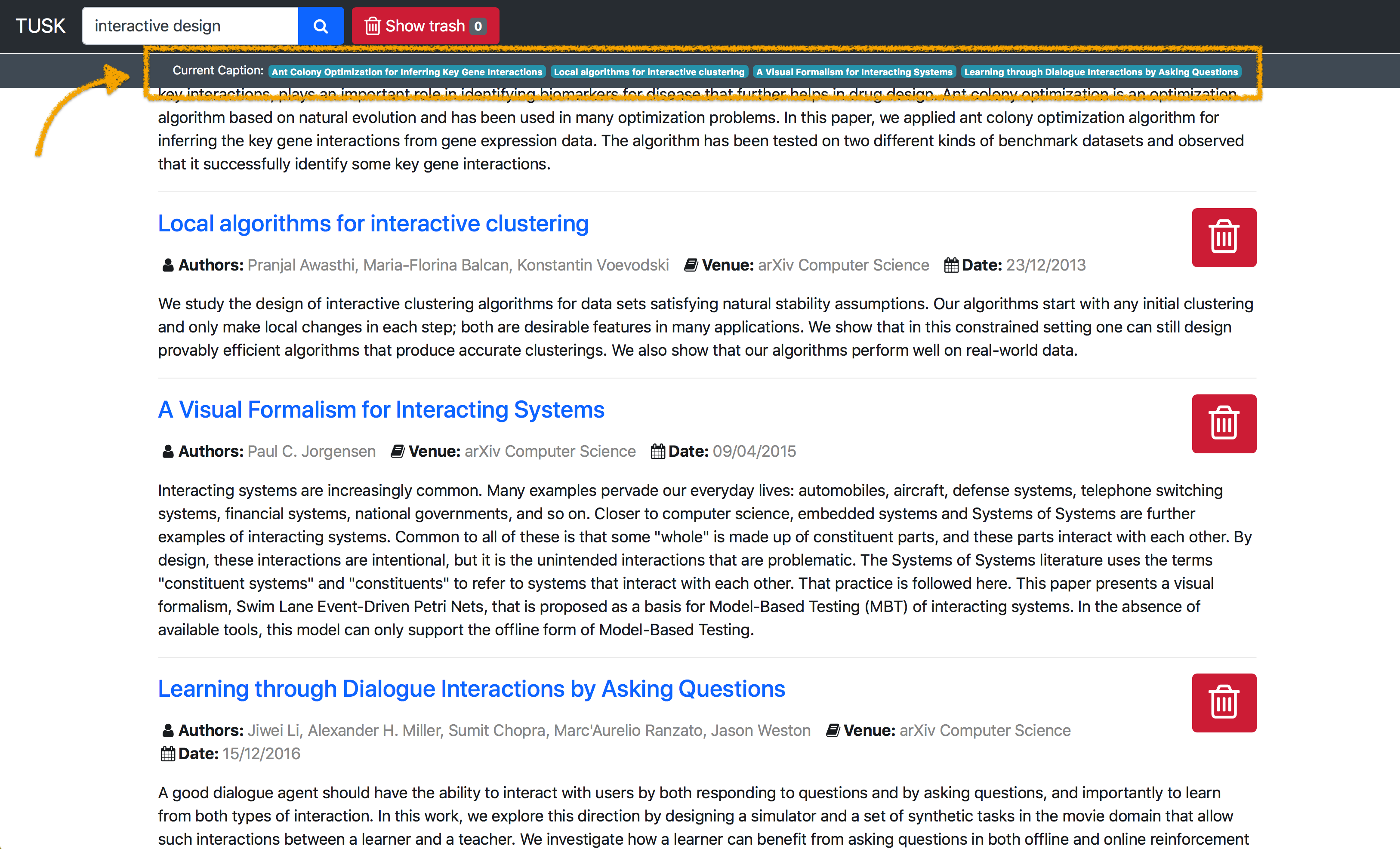
ESC in the form of a traditional caption navigation bar.
To integrate ESC into the system without interrupting the current interface, the captions were firstly designed into a bar section under the navigation bar.
However, we soon realised the shortcoming of this layout:
- It's not intuitive for users to understand the functions
- Horizontal of captions can't represent their probability ranking
- One row is too short to contain more than 5 captions
- Text captions are not visible enough to be perceived by users
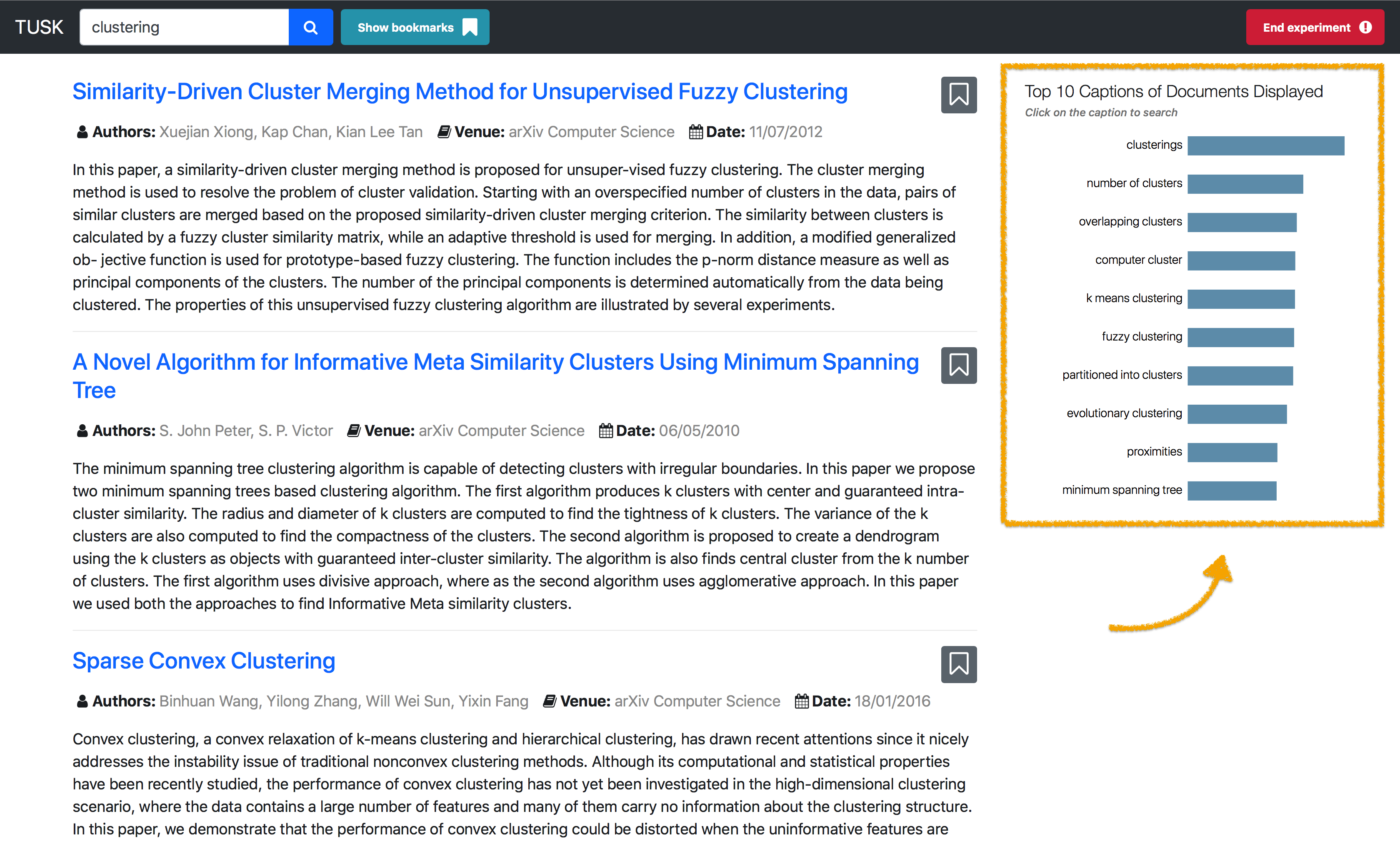
Iterated Solution
ESC in sidebar with dynamically ranked captions. Moving the captions to the sidebar, I transformed it into a dynamic bar chart. In this way, users can get a more intuitive perception of what the captions are, and how they work. When users hover on the caption bar, we also designed a tooltip to provide faster navigation.
Prototype
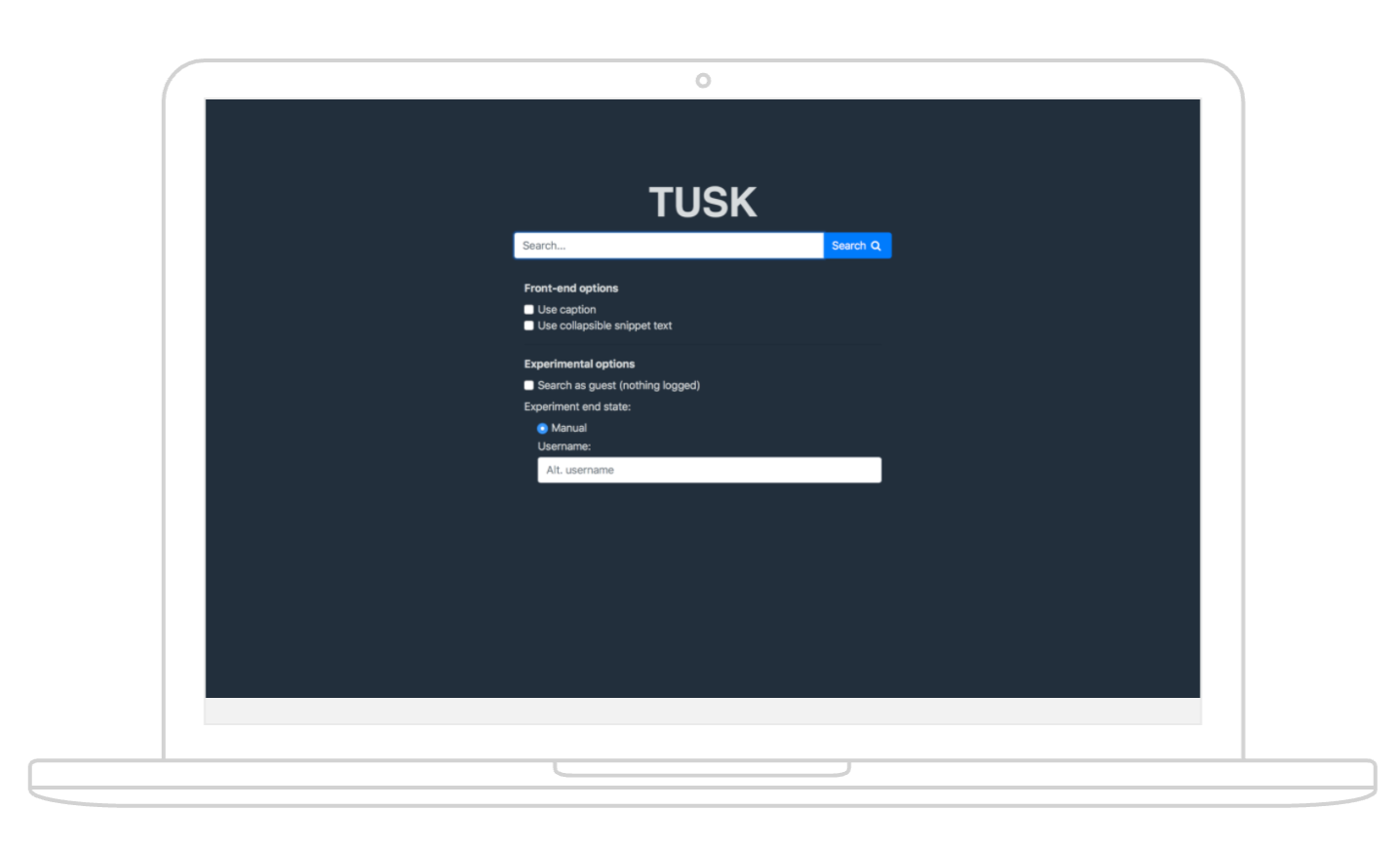
I developed a prototype to validate the method in real practice, and also for the evaluation use.
As users scroll down the page, the captions would change real-time to reflect the contents of the documents currently visible to the user, i.e. the importance of the currently displayed captions changes or some of the displayed captions are swapped for new ones.
Evaluate
Testing Plan
A/B Test and mixed-method research is used in the overall testing plan.
I designed and conducted a user study to evaluate the effect of captions on users engaged in exploratory search in TUSK and users' perceptions of captions in the search interface.
Two systems were compared:
- One system incorporating ESC (enhanced)
- One baseline system without captions (original)
Aside from the presence or absence of ESC tool, both systems were identical.
Preparation
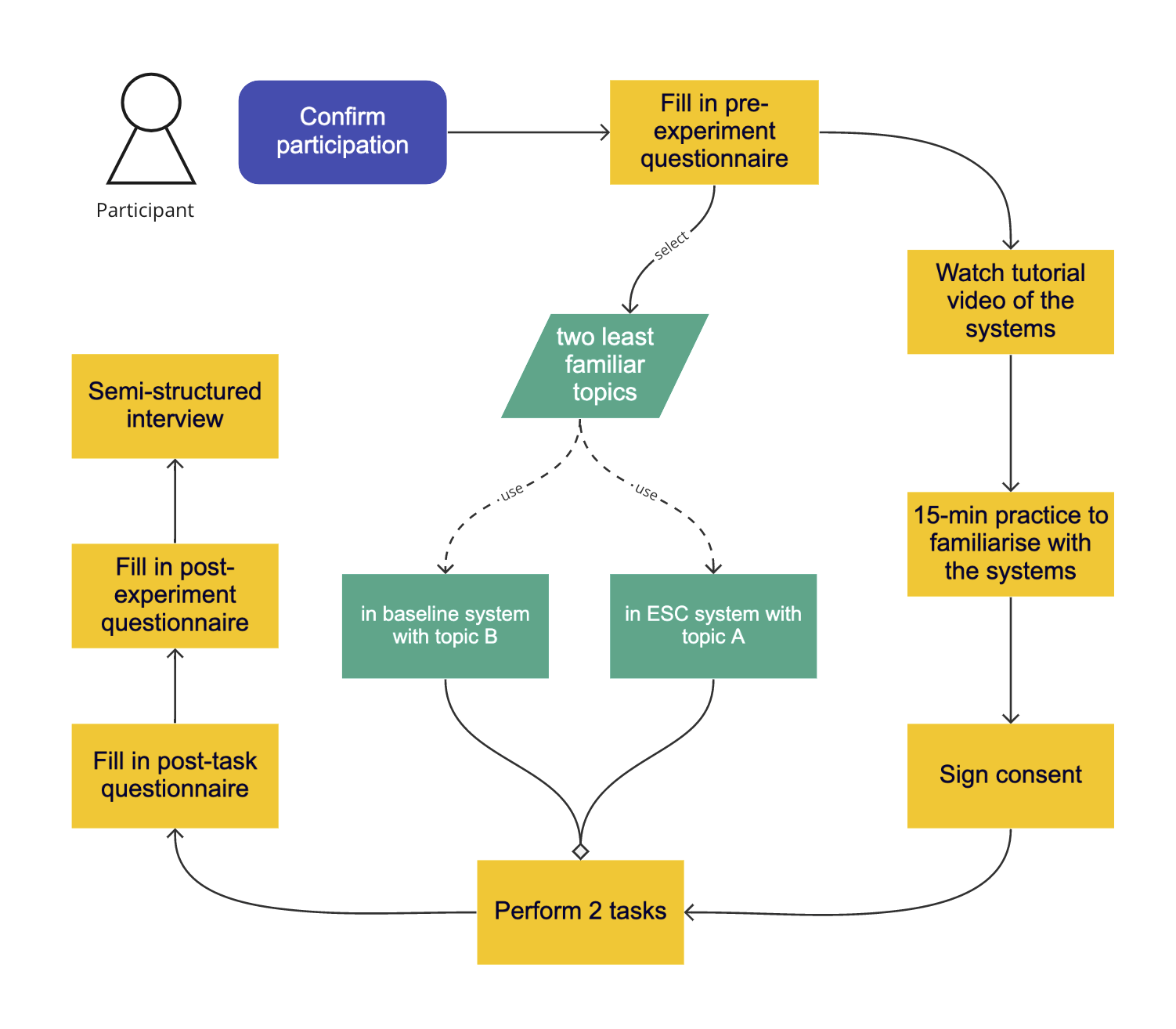
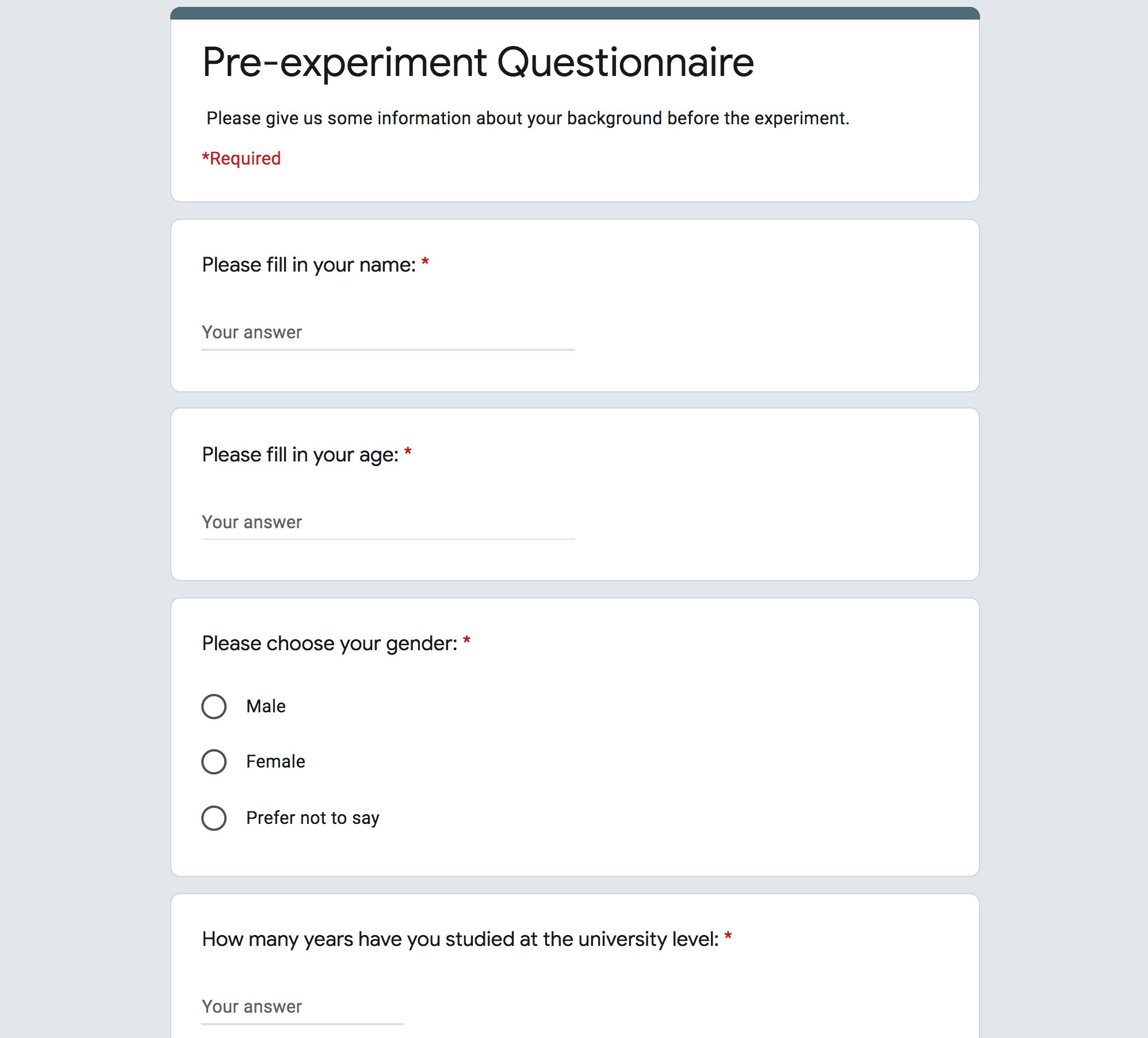
To remove bias, we designed a Topic Familiarity Form and a Background Questionnaire to collect basic demographics.
Before the experiment, each participant rated their familiarity, on a 4-point Likert scale, of the given topics. The topics were selected beforehand to ensure appropriate coverage in the data set used in the experiment.
Then, each participant was shown a video tutorial on how to use the two interfaces. This was followed by a practice session to allow the users to familiarize themselves with the systems.
Task
Each participant performed two tasks - one with each interface.
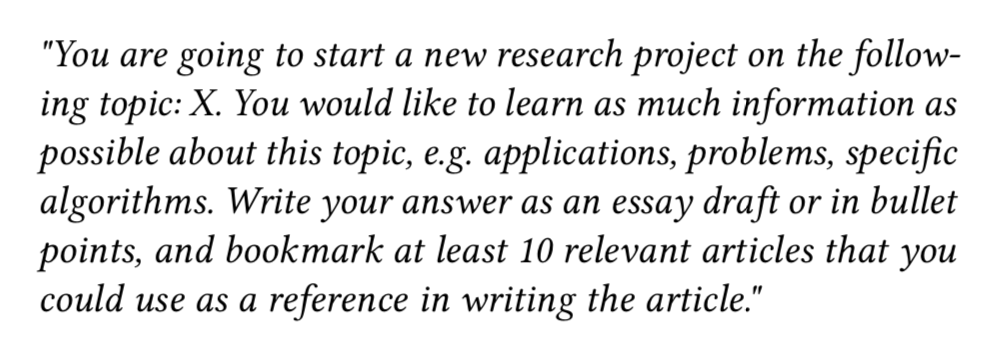
The order of the interfaces was balanced. In the main tasks, users were instructed to write a short essay draft on a given topic. The search task with each system was limited to 30 minutes. The users were provided with pens and paper as well as a text editor for note-taking.
Post-Task Questionnaires and Interview
In the end, I conducted a semi-structured interview with the participants.
After each task, the participants completed two questionnaires:
- the SUS(System Usability Scale) questionnaire
- a modified version of the ResQue (Recommender systems' Quality of user experience) questionnaire
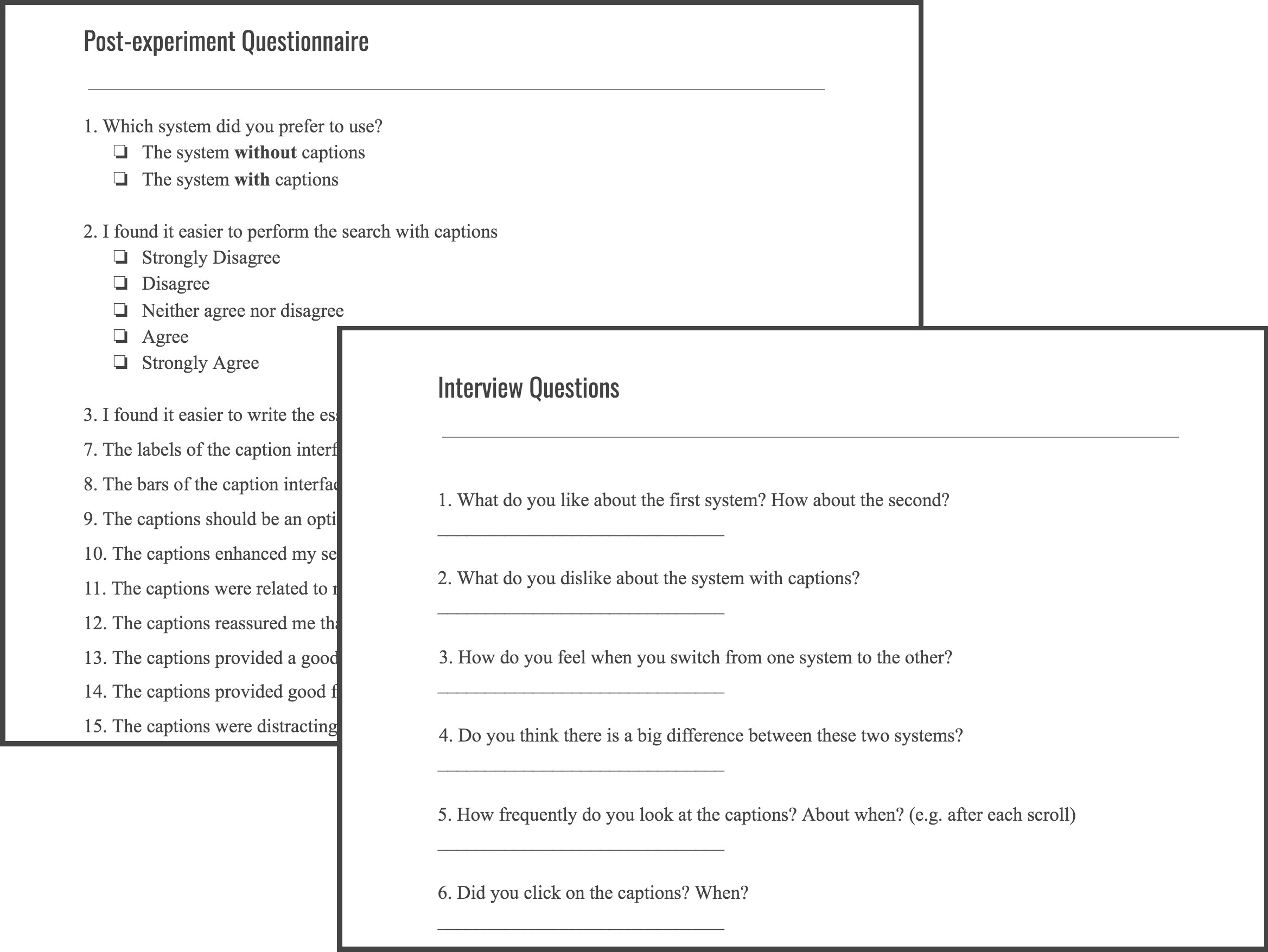
After both tasks, the participant filled in a post-experiment questionnaire.
Analyse
Overview
Nineteen participants (six female), aged 23-48, took part in the user study. All participants were computer science students: 8 MSc students and 11 PhD students. After collecting all interactive data and questionnaire answers, we did a quantitative analysis.
Measurements:
- Task completion time
- Clicked-article reading time
- Cumulative clicks
- Maximum scroll depth
- Number of bookmarked documents
- Quality of answers to the tasks
Quantitative - Usability Analysis
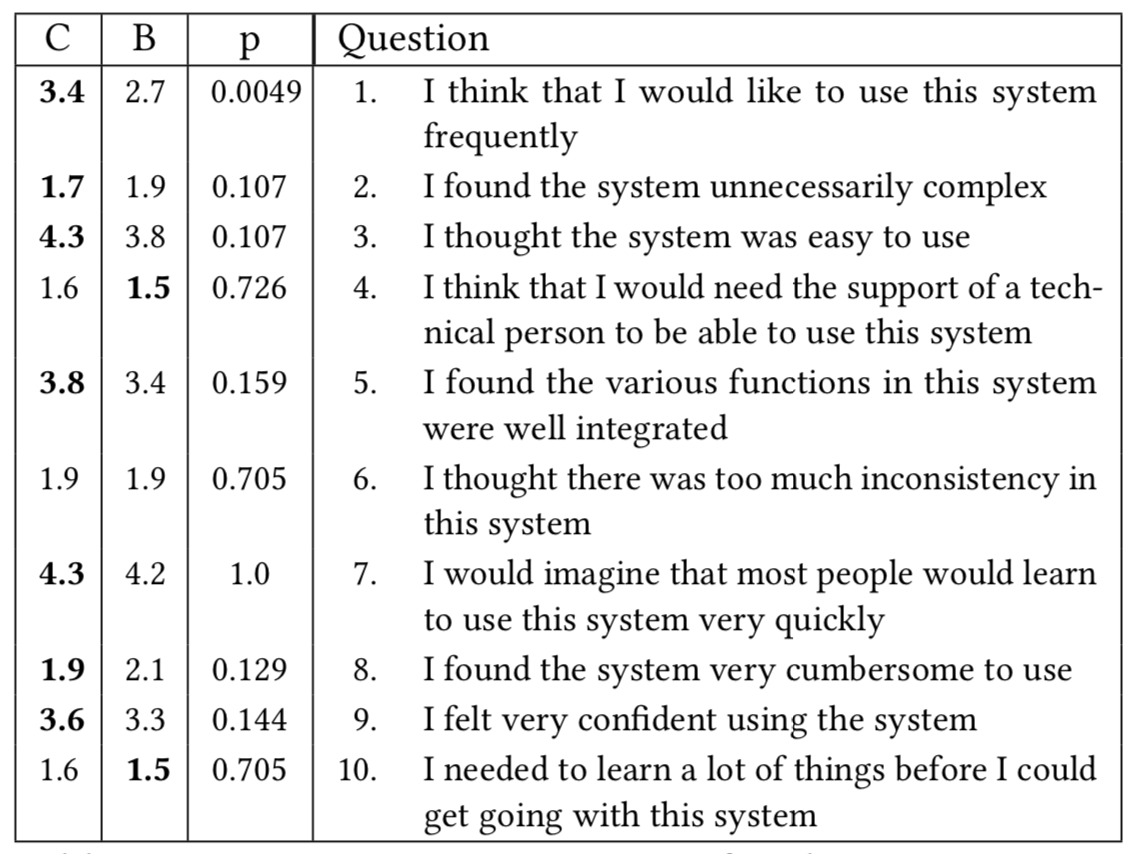
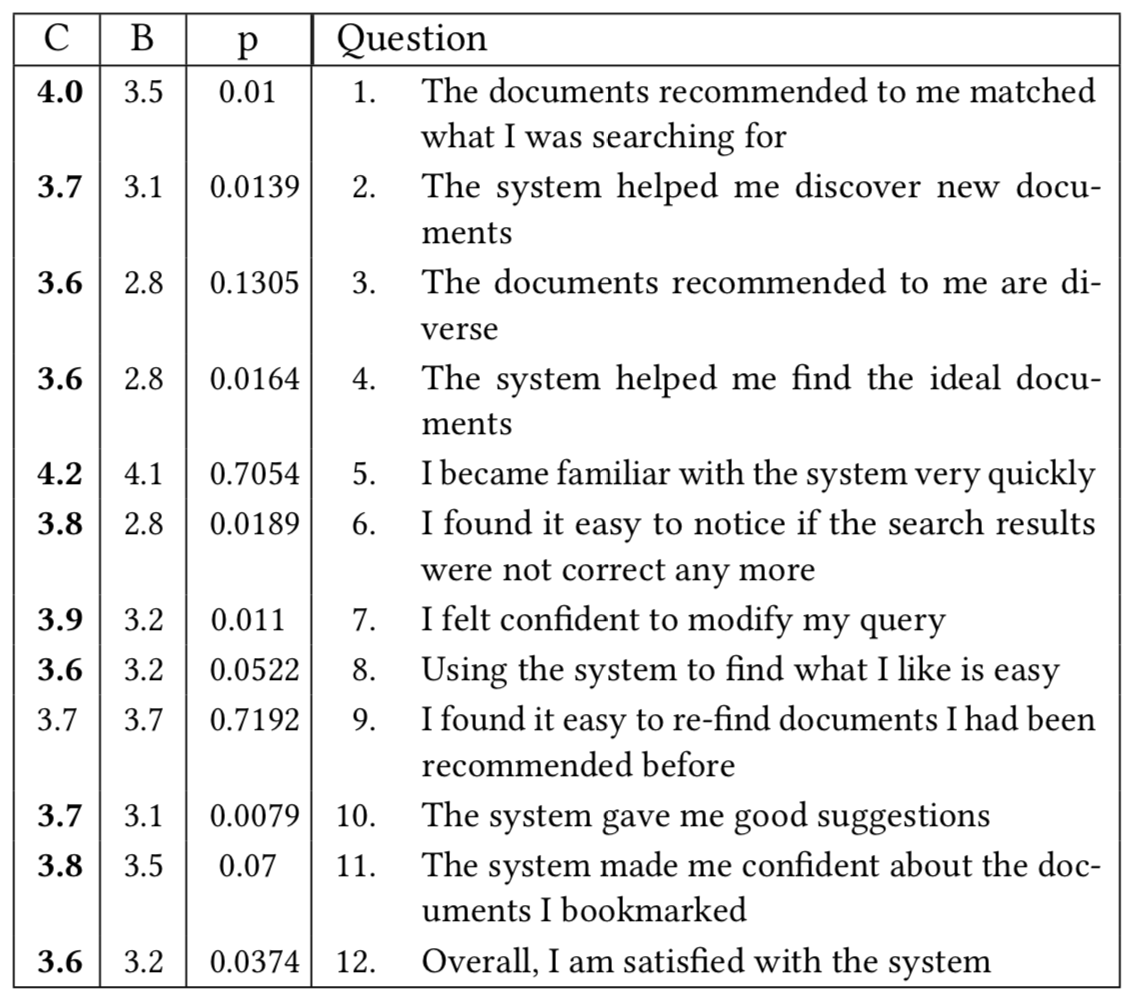
The caption interface obtained higher scores in both SUS and ResQue questionnaires than the baseline.
In SUS, the overall score was 76.8 for the caption system and 71.2 for the baseline. This shows that the usability of the system did not suffer from the added functionality provided by the caption component.
In ResQue, the ESC system significantly outperformed the baseline averaging 83.2 versus 67.8, which shows that participants found the captions useful.
Qualitative Feedback
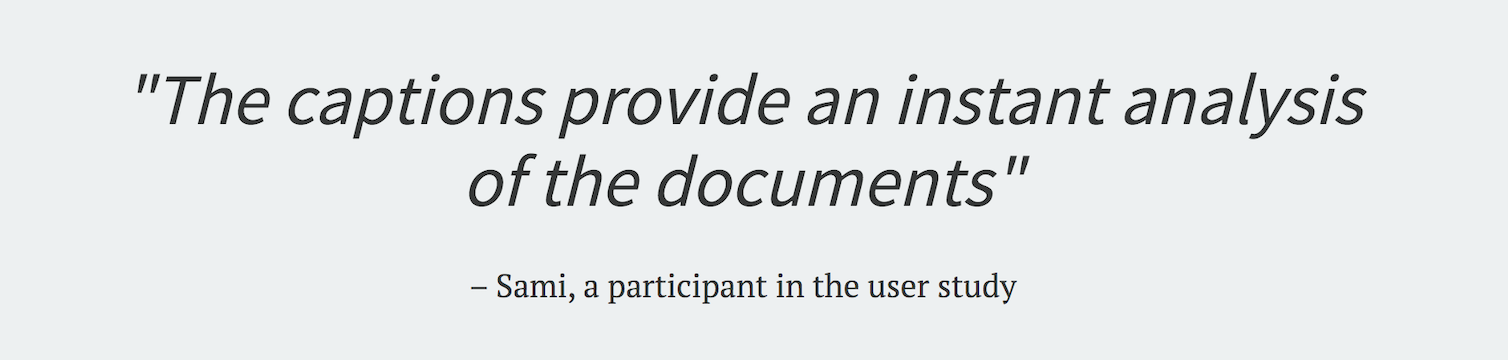
In the semi-structured interview, Almost all users reported that they preferred the caption interface to the baseline.
The most often mentioned benefits of the caption interface were: a concise summary of the search results, a suggestion for followup queries, help with search context, help to find new and interesting documents faster.
Task Performance and User Behaviour Task performance was assessed in a blind manner by an expert assessor based on the. The ratings were done on a 5-point scale from 1 (bad) to 5 (good). The average task performance was 2.95 with the baseline and 3.37 with the caption interface (p = 0.035, Wilcoxon signed-rank test).
Reflection
This project taught me how to balance research with practical UX design. From a product perspective, the key learning was introducing new features without disrupting user workflows. The initial horizontal caption bar failed because users couldn't grasp its purpose immediately. The dynamic sidebar with visual ranking solved this. It transformed ESC from confusing to valuable. This reinforced the importance of visual hierarchy and real-time feedback.
As a researcher, the mixed-method evaluation proved essential. The Topic Familiarity Form and balanced interface order removed bias and strengthened findings. Quantitative data validated our design. But qualitative interviews provided the richest insights. Users found captions genuinely helpful for knowledge acquisition and query formulation. This gap between metrics and user feedback was revealing. Numbers don't capture the full experience. I learned to integrate user feedback earlier and embrace rapid prototyping.
The project proved that effective exploratory search isn't about more information: it's about the right information at the right time. ESC succeeded because it understood user uncertainty. It evolved dynamically with their exploration journey rather than staying static. This shaped my approach to designing adaptive interfaces that respond to user behavior in real-time.
Tools & Methods
Let's talk
Working on something complex?
Good judgment, real problem, difficult environment. I'd like to hear about it.